Multi-tenancy
Isolate data, configurations, and operations for multiple teams, departments, or organizations within a single Camunda 8 installation.
About
Camunda 8 supports three distinct multi-tenancy models, each with different isolation levels and operational characteristics.
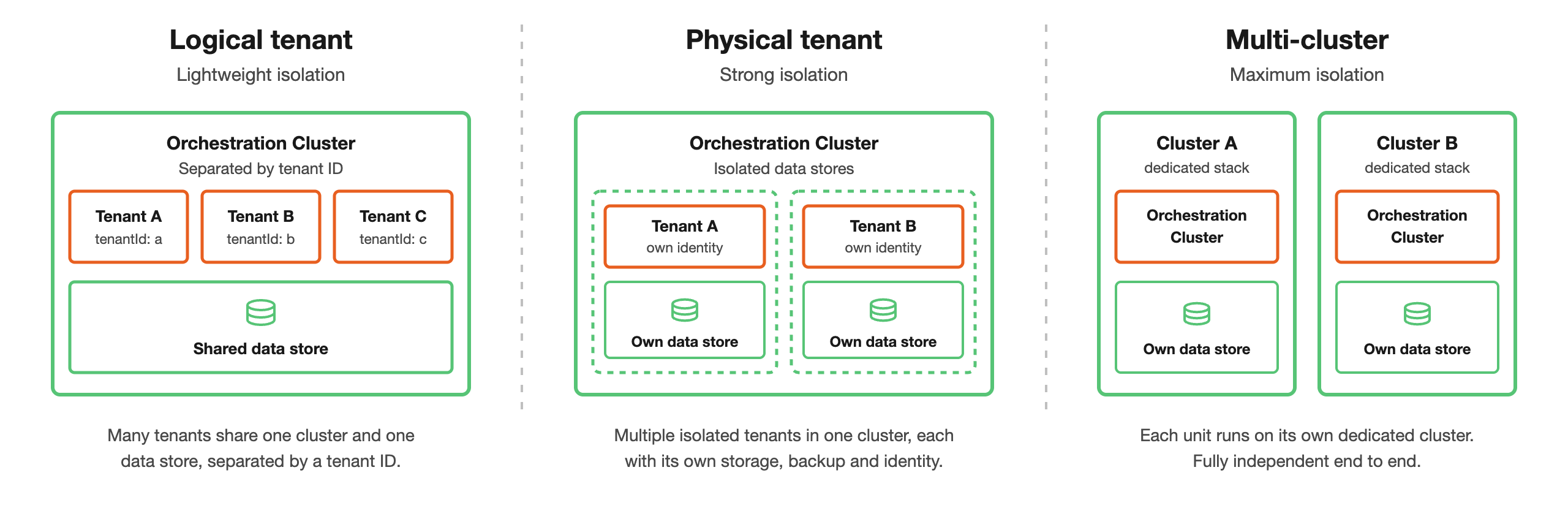
All models run on the same platform and tooling. They differ in how much they isolate, from a shared database separated by a tenant ID, to a fully separate cluster per tenant.
Choose your model
Choose the model that best fits your isolation requirements and operational constraints:
| Aspect | Logical Tenant | Physical Tenant | Multi-Cluster |
|---|---|---|---|
| Availability | Self-Managed and SaaS | Self-Managed only | Self-Managed and SaaS |
| Isolation | Logical only | Strong physical data isolation | Full physical isolation |
| Data sharing | Single shared database | Separate data per tenant | Separate per cluster |
| Backup/restore | Cluster-level only | Independent per tenant | Independent per cluster |
| Cost | Most efficient | Balanced | Most expensive |
| Operational complexity | Low | Medium | High |
| Use case | Small teams, low-risk separation | Multiple teams, strong isolation needed | Separate organizations, maximum isolation |
Logical Tenants
Lightweight tenant-ID based multi-tenancy for cost-efficient subdivision within a single cluster.
Logical Tenants share infrastructure but have logically isolated data, configurations, and access controls. This model is best for departments or teams within the same organization with low-risk separation needs.
Physical Tenants
Strong physical data isolation within a single cluster with separate data storage and independent operations per tenant.
Physical Tenants still share cluster compute resources such as CPU and memory, so runtime interference is reduced but not fully eliminated.
This model is best for multiple teams or organizations requiring strong isolation without the cost and complexity of separate clusters.
In Camunda Hub, each Physical Tenant appears as an environment that organization admins assign to workspaces.
Physical Tenants and Logical Tenants can be used together. Each Physical Tenant can contain its own set of Logical Tenants, providing two independent layers of isolation: physical separation between top-level tenant groups, and logical separation within each group.
Multi-Cluster
Full isolation through dedicated infrastructure with separate clusters per tenant. Maximum isolation and operational independence, but highest infrastructure cost and complexity.
This model is best for separate organizations with maximum isolation requirements or strict data residency needs.
On SaaS, this means provisioning a separate cluster per tenant rather than configuring a distinct mode. See Clusters.
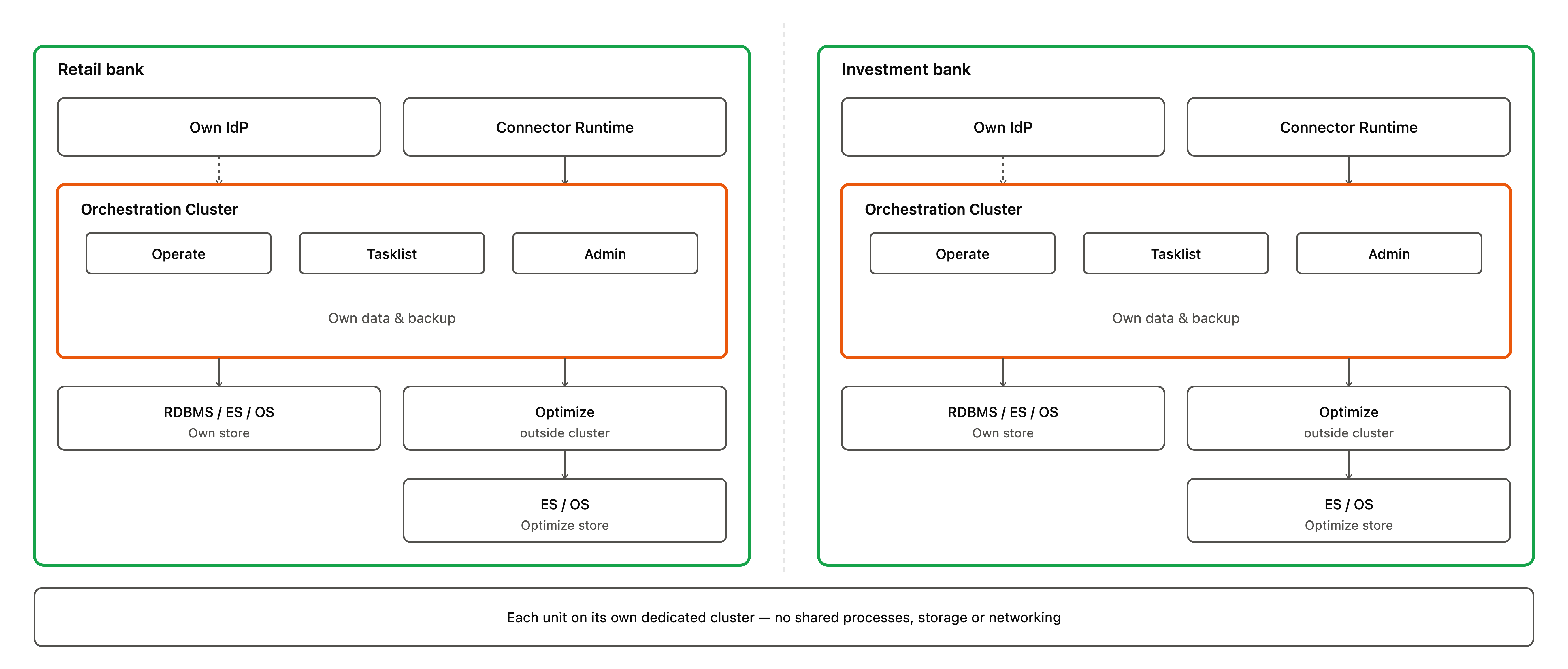
For example, a retail bank and an investment bank under the same parent company might each run their own dedicated cluster, with no shared processes, storage, or networking between them:
Next steps
- Configure Logical Tenants for lightweight subdivision.
- Explore Physical Tenants for strong isolation.
- Manage tenants in Identity.