MCP processes
The Orchestration Cluster admin UI provides an overview of the processes currently registered as MCP tools in the Processes MCP Server.
View registered MCP processes
Navigate to MCP Processes in the Orchestration Cluster admin UI to see all processes currently exposed as MCP tools.
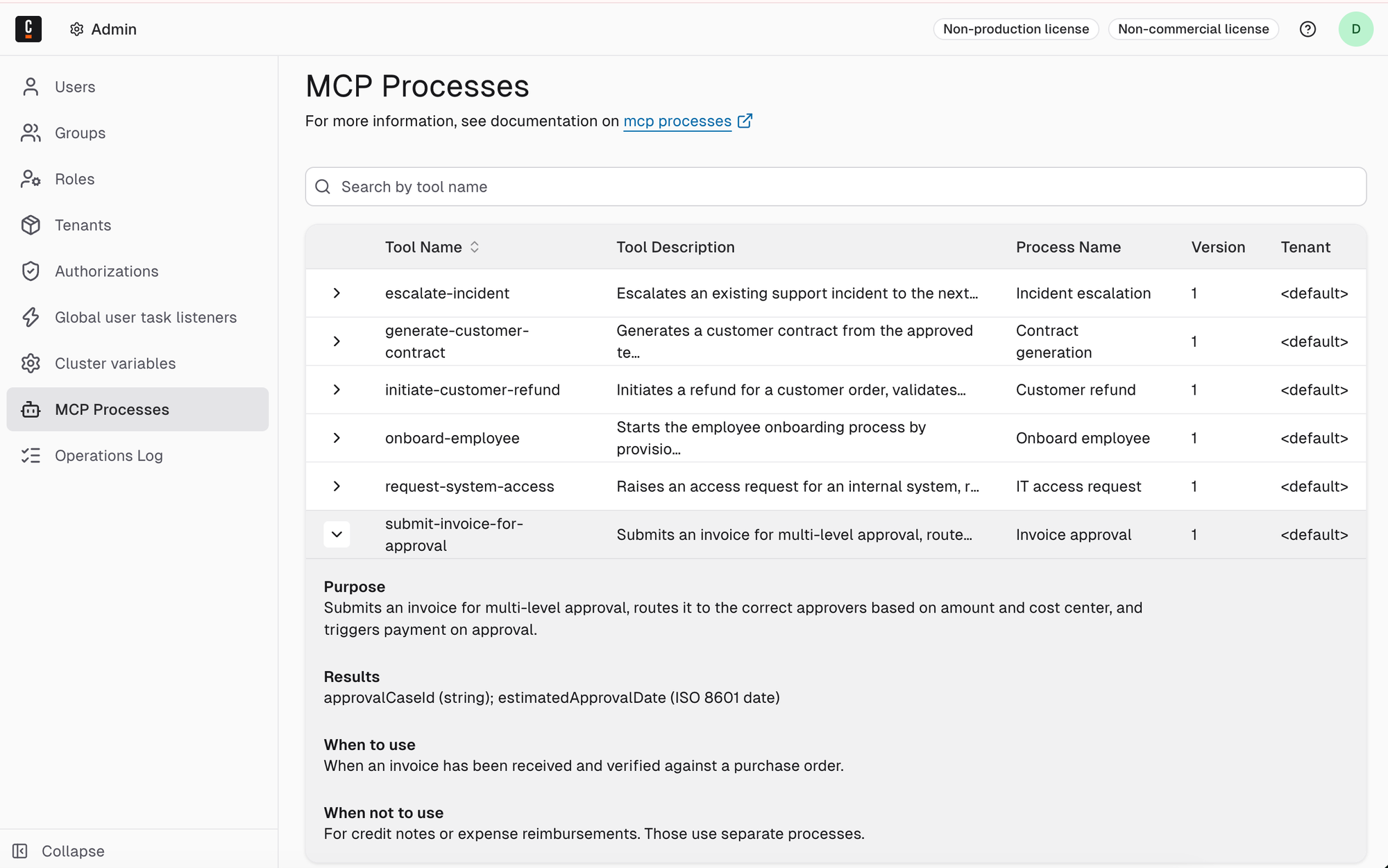
The following information is displayed for each registered process:
| Column | Description |
|---|---|
| Tool name | The MCP tool identifier configured in the MCP start event element template. |
| Tool Description | The plain-language description of the tool's function, as configured in the MCP start event. |
| Process Name | The name of the BPMN process registered as an MCP tool. |
| Version | The process definition version currently registered. Only the latest deployed version is exposed. |
| Tenant | The tenant the process belongs to. |
Troubleshoot
- A process is not appearing after deployment: Verify that the process was deployed successfully and that the MCP start event element template is applied to the start event. Check for deployment errors in Operate.
- A process shows an unexpected version: The Processes MCP Server always exposes the latest deployed version. If a previous version is showing, a newer deployment may have failed. See version binding for more details.