Handle documents with outbound connectors
Outbound connectors that support document handling share a consistent experience for both directions:
- When a connector consumes a document (upload or send), you choose a document source: a Camunda document, inline content, or an external URL.
- When a connector produces a document (download or retrieve), you choose a return format: a document reference, text, or JSON.
This maps onto the two paths for document handling: the document store path routes an opaque file, while the inline path lets the process build or read the content directly.
The connector SDK provides document support in property/variable bindings.
The unified document source and return format described on this page are available from Camunda 8.10 onward and apply to newly created element templates. Processes built on earlier template versions continue to work unchanged.
Document sources
Every document handed to a connector is one of three document reference types, distinguished by the camunda.document.type field. Connectors that take a Document input expose a document source dropdown in the properties panel, with one option per type. Each option reveals only the relevant fields:
| Source | Reference type | Fields revealed | Use when |
|---|---|---|---|
| Camunda document | camunda | Document reference (FEEL) | You already have a document in the Camunda document store (Path 1). |
| Inline content | inline | Content, optional filename, optional content type | You want to work with small text files (for example, .json or .txt) that are written from or read into process data (Path 2). See inline documents. |
| External document | external | URL, optional filename | The file lives at a reachable URL. See external documents. |
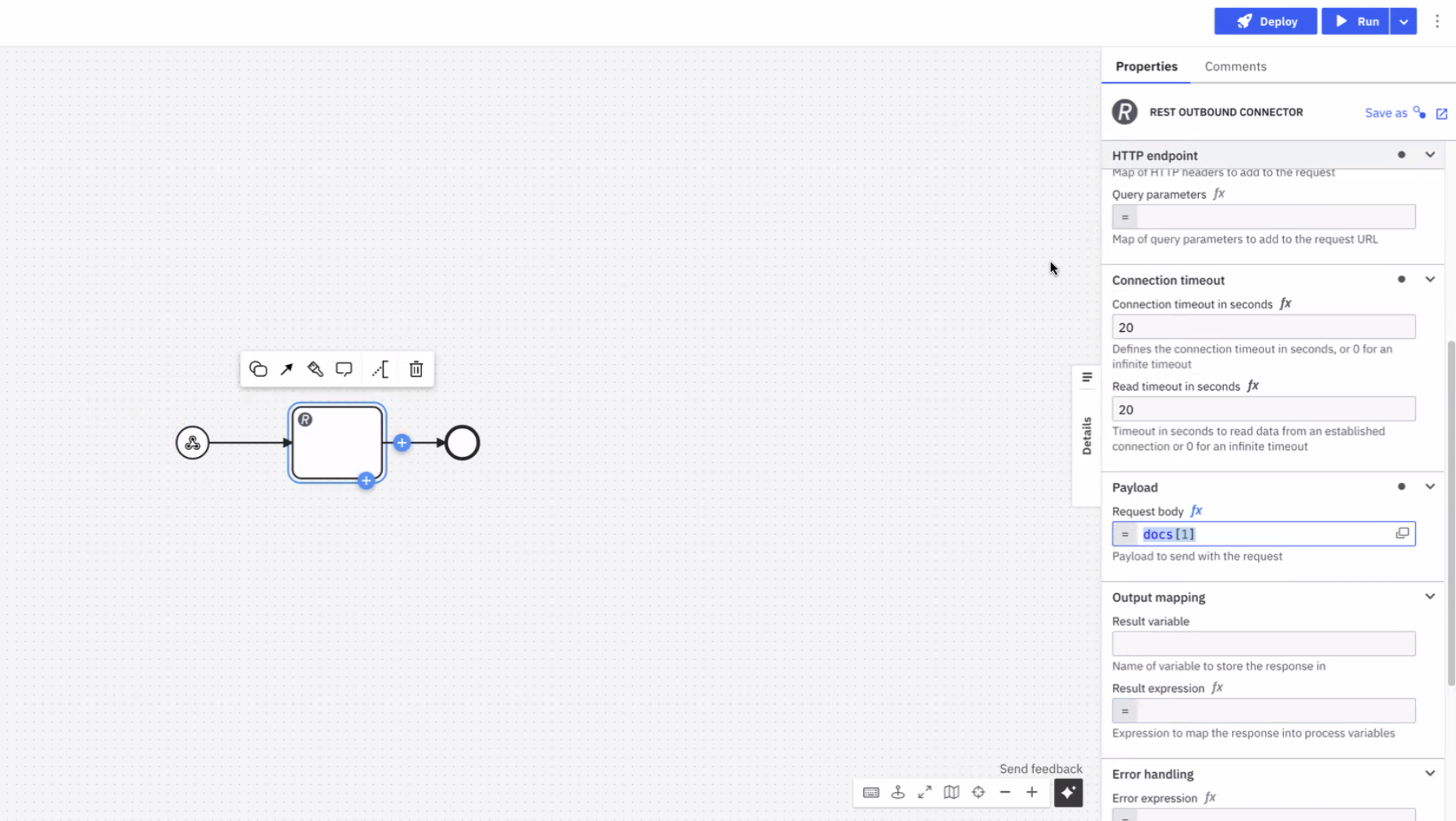
The three subsections below define the JSON structure of each type. You can also select a type from the source dropdown without writing the JSON by hand.
Camunda documents
A Camunda document is a reference to a file held in the Camunda document store. This is the document store path (Path 1): the file is routed as an opaque blob.
Such references are produced for you by a form Filepicker, inbound webhook, or the Orchestration Cluster REST API, as the output of another connector, or as an AI Agent tool call result, then stored in a process variable. A reference has the following structure:
{
  "camunda.document.type": "camunda",
  "storeId": "gcp",
  "documentId": "example-document-id",
  "contentHash": "fwkhkj34843rfhfwho3297ufdsj0df09",
  "metadata": {
    "contentType": "application/pdf",
    "size": 70266,
    "fileName": "file.pdf"
  }
}
You normally reference the variable directly rather than constructing this object by hand.
Inline documents
An inline document embeds content directly in a process variable, with no document store upload required. This is the inline path (Path 2, write side): useful when you want to generate a document on-the-fly from process data, such as an error report, and pass it immediately to a connector.
To create an inline document, set a process variable to the following structure:
{
  "camunda.document.type": "inline",
  "content": "Invoice #1234 — Amount due: $99.00",
  "name": "invoice.txt",
  "contentType": "text/plain"
}
You can also construct this with a FEEL expression to build the content dynamically from other process variables:
= {
  "camunda.document.type": "inline",
  "content": "Invoice #" + invoiceId + " — Amount due: $" + string(amount),
  "name": "invoice-" + invoiceId + ".txt"
}
The content field is polymorphic: a string is stored as its UTF-8 bytes, while a map, list, number, or boolean is serialized to JSON. This lets you build structured files directly from process variables:
= {
  "camunda.document.type": "inline",
  "content": {"orderId": orderId, "status": "failed", "errors": errorList},
  "name": "error.json",
  "contentType": "application/json"
}
| Field | Required | Description |
|---|---|---|
camunda.document.type | Yes | Must be "inline". |
content | Yes | The document content. A string is stored as UTF-8 bytes; a map, list, number, or boolean is serialized to JSON. |
name | No | The filename. Drives content type inference when contentType is not set. If omitted, a UUID is generated automatically. |
contentType | No | The MIME type of the content. If omitted, the type is inferred from the file extension of name. If the extension is unrecognized or no name is provided, defaults to application/octet-stream. |
Inline documents are held in process variables, so their size is bounded by the Zeebe variable size limit (approximately 4 MB). For larger files, use the Camunda document store path instead.
There is no base64 field for binary content. To inline binary data, encode it with FEEL's built-in to base64 function.
External documents
An external document points to a file available for download from an unprotected URL. Any connector can consume it directly, without first uploading it to the document store (Path 1: the file is routed, not inspected).
To use an external document, set a process variable to the following structure:
{
  "camunda.document.type": "external",
  "url": "https://www.example.com/file.pdf",
  "name": "my-test-file.pdf"
}
| Field | Required | Description |
|---|---|---|
camunda.document.type | Yes | Must be "external". |
url | Yes | The URL the file is downloaded from. |
name | No | The filename. If omitted, the name is taken from the content-type and content-disposition HTTP response headers, with a random UUID used as the fallback. |
List of documents
Connectors that accept a list of documents (for example, email, Slack, or SendGrid attachments) add a Single/Multiple toggle above the source dropdown:
- Single shows the same document source dropdown for one document.
- Multiple switches to a FEEL expression field where you construct an array of document references.
Return formats
Connectors that download or retrieve a document let you choose how the content is returned, instead of guessing from the content type. A return format dropdown offers three options:
| Return format | What you get |
|---|---|
| Document reference | The content is uploaded to the Camunda document store and a reference is returned (Path 1). |
| As text | The bytes are decoded to a string and returned in the response (Path 2, read side). An optional encoding sub-field defaults to UTF-8. |
| As JSON | The bytes are parsed as JSON and returned as a structured value you can use directly in FEEL (Path 2, read side). |
As text and As JSON return the content directly in a process variable, so they are subject to a size guard (approximately 1.5 MiB). A larger object fails the job with a controlled incident rather than exhausting runtime memory. Use Document reference for large files.
The As JSON option fails the job when the content is not valid JSON. Use As text for non-JSON content.
The exact response variable differs per connector (for example, S3 returns element, Google Cloud Storage returns content, and the REST connector returns body). See each connector's page for its response structure.
Outbound connectors that support document handling
| Connector | Support details |
|---|---|
| Amazon Bedrock | Supports consuming documents as inputs for conversations. Review the Document field in the properties panel where the document reference can be provided. |
| Amazon S3 | Supports uploading documents from (or downloading documents to) the Camunda document store. Review the Document field in the properties panel where the document reference can be provided. |
| Amazon Textract | Supports reading the input document from the Camunda document store or an external URL (not inline content, which Textract cannot process), and returning the analysis result as a document reference instead of inline JSON. |
| Azure Blob Storage | Supports uploading documents from (or downloading documents to) the Camunda document store. Review the Document field in the properties panel where the document reference can be provided. |
| Box | Supports uploading documents from (or downloading documents to) the Camunda document store. Review the Document field in the properties panel where the document reference can be provided. |
| Supports sending Camunda documents as attachments, or storing incoming attachments as Camunda documents. These documents are automatically stored in the Camunda document store and available to map in the result expression. | |
| Google Drive | Supports document upload and download. |
| Microsoft Teams | Supports sending documents to channels. |
| REST | Supports storing the response as a document. |
| SendGrid | Provides attachment support. |
| Slack | Supports adding attachments and increasing template versions. |