Camunda Spoke for ServiceNow
The Camunda Spoke for ServiceNow lets you orchestrate workflows between Camunda and ServiceNow, empowering your organization to automate cross-system workflows end to end.
With the Spoke installed in ServiceNow, you can start, signal, correlate, or cancel Camunda process instances directly from Flow Designer.
Spoke actions
Start rocess
Start a Camunda process from ServiceNow.
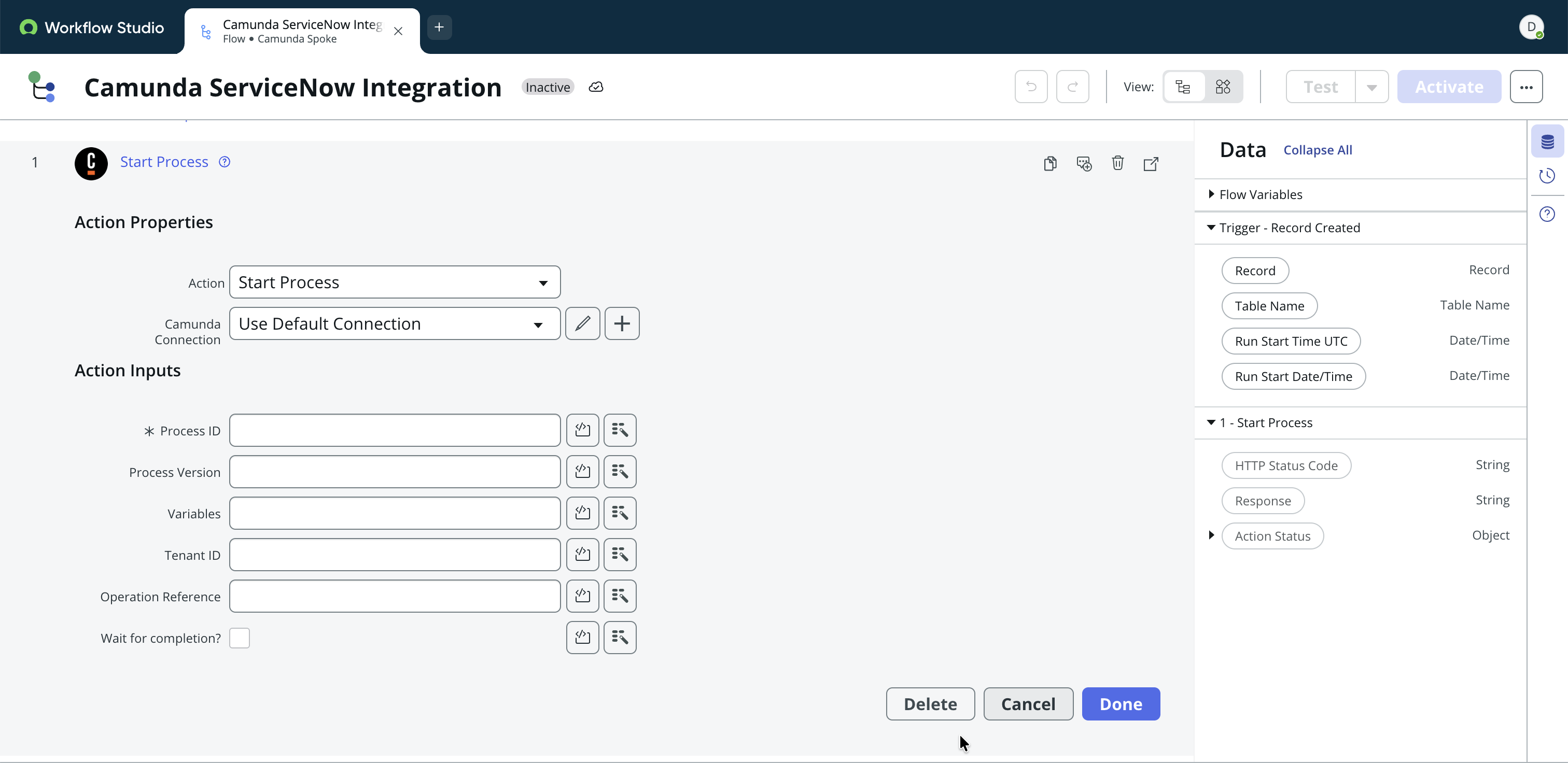
Supported inputs
Process ID: The ID of the deployed BPMN process to start.
Example: handle_incident
Process Version: (Optional) The version of the process to start. If empty, the latest deployed version is used.
Example: 5
Variables: (Optional) Process variables passed to Camunda as key-value pairs in JSON format.
Example: { "invoiceId": "12345", "amount": 250 }
Code example
const returnObject = {
    "request_item_number": fd_data.trigger.request_item.number.toString() || "",
    "request_sys_id": fd_data.trigger.request_item.sys_id.toString() || ""
};
return JSON.stringify(returnObject);
When you add the JSON payload as a code snippet, convert ServiceNow types to a JSON-compatible format. In the example above, sys_id is a ServiceNow GUID, but it must be converted to a string for the JSON payload. That is why the example uses fd_data.trigger.request_item.sys_id.toString().
Tenant ID: (Optional) The tenant identifier for multi-tenant Camunda setups. Leave empty for single-tenant setups.
Example: hr-emea
Operation Reference: (Optional) A user-defined reference key available in Camunda for tracking the operation.
Example: camID
Wait for completion: (Optional) Whether the flow waits until the Camunda process completes.
Send signal
Broadcast BPMN signals to one or more Camunda process instances
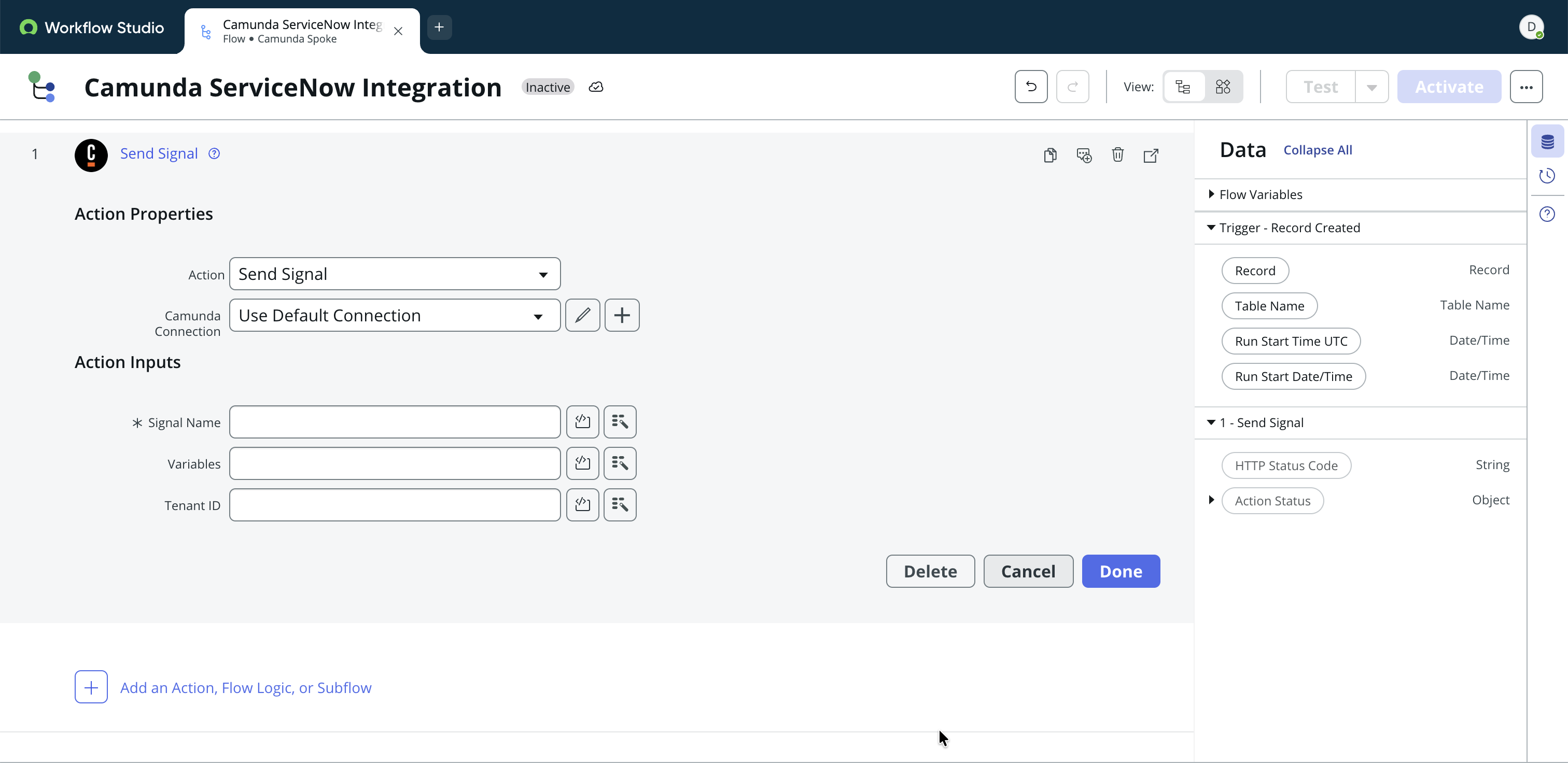
Supported inputs
Signal name: The name of the BPMN signal to send. Must match the signal name defined in the process model.
Example: sla_limit_exceeded
Variables: (Optional) Process variables passed to Camunda as key-value pairs in JSON format.
Example: { "invoiceId": "12345", "amount": 250 }
Tenant ID: (Optional) The tenant identifier for multi-tenant Camunda setups. Leave empty for single-tenant setups.
Example: hr-emea
Correlate message
Correlate a running Camunda process instance from ServiceNow.
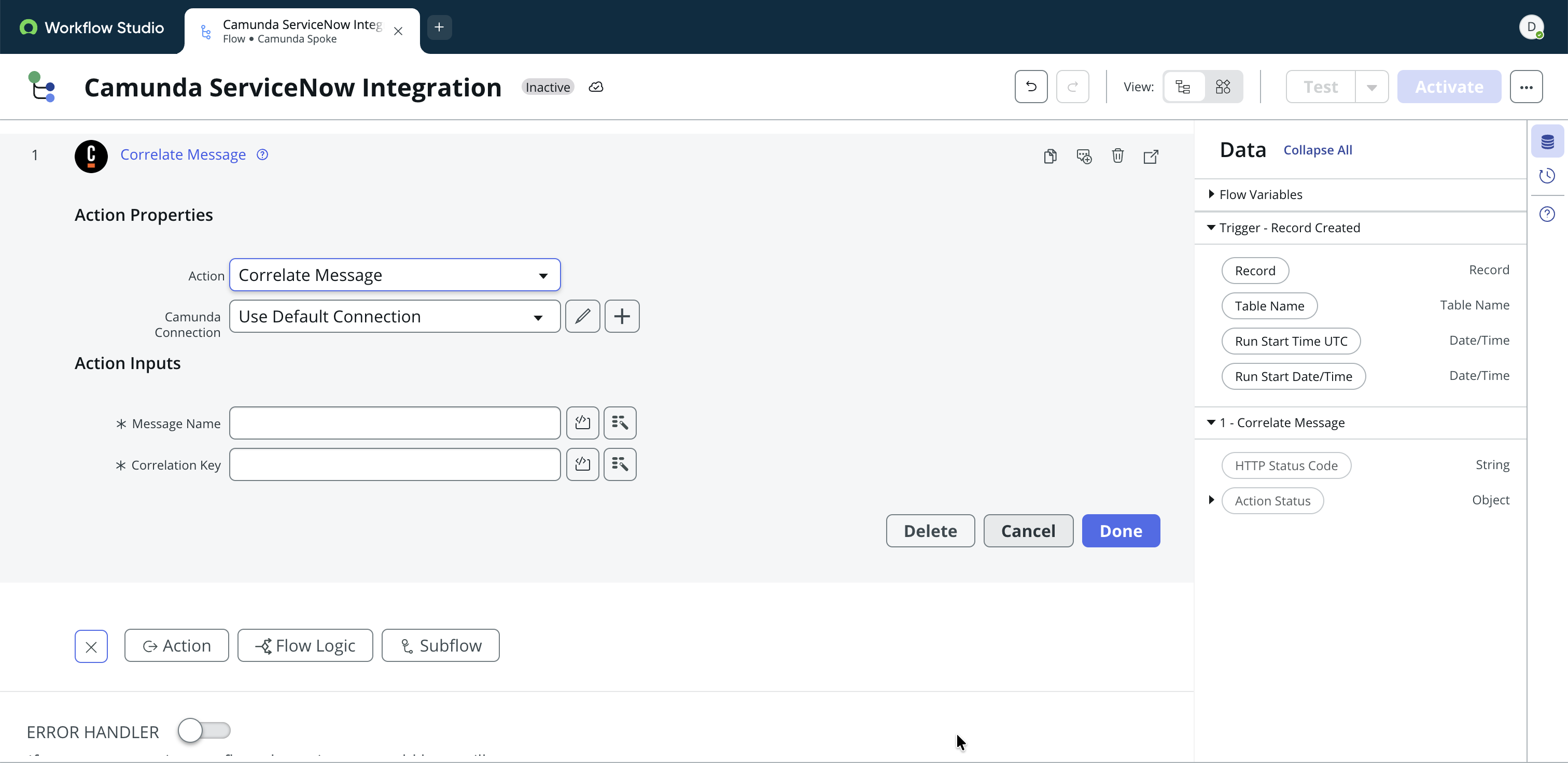
Supported inputs
Message name: The name of the BPMN message to correlate with.
Example: managerApprovalDone
Correlation key: The process variable value used to match the message to a specific process instance.
Example: approvalID
Cancel process
Cancel a Camunda process instance from ServiceNow when needed.
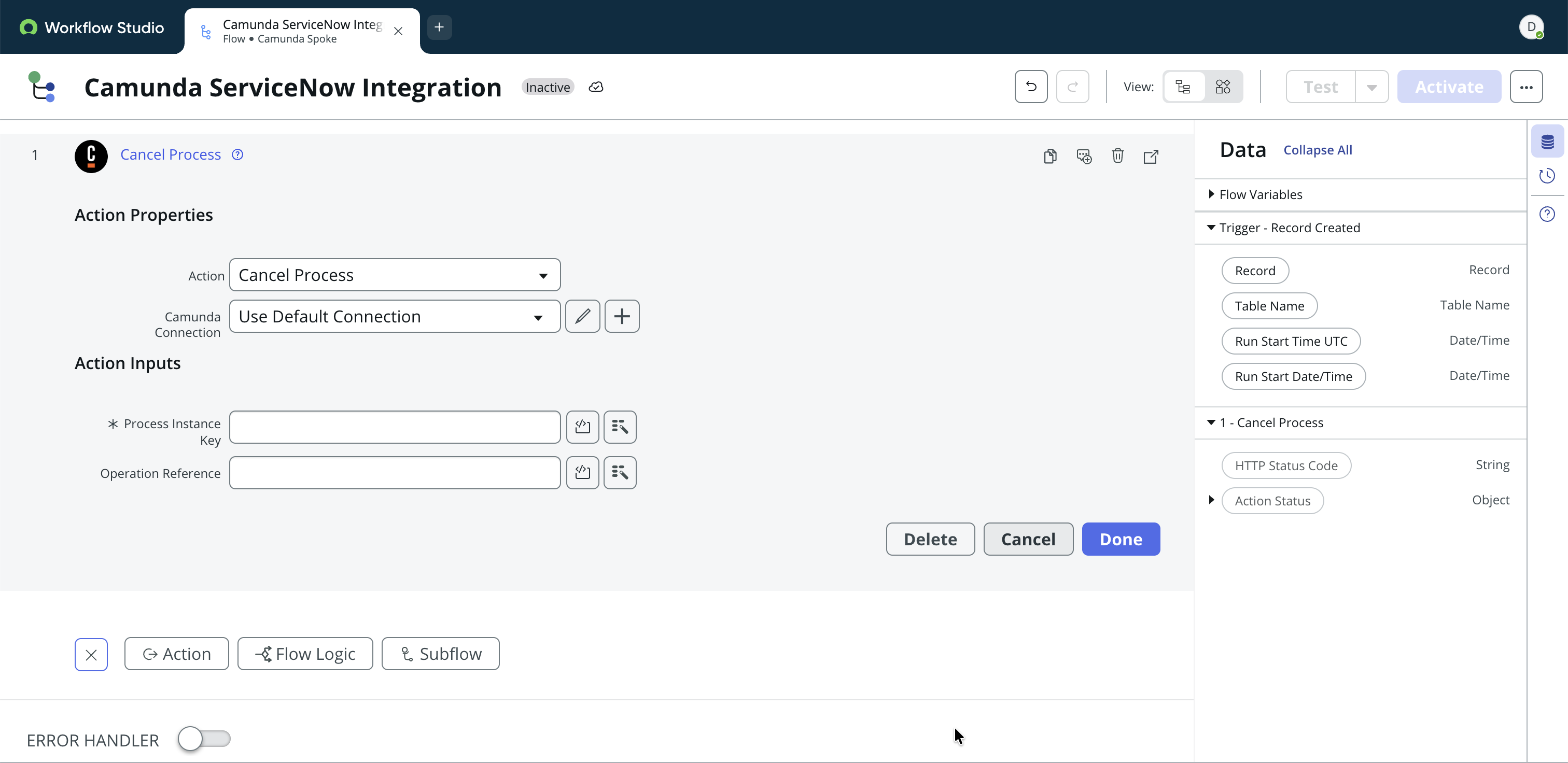
Supported inputs
Process Instance Key: The unique key identifying a running Camunda process instance to cancel.
Example: 2251799813685252
Operation Reference: (Optional) A user-defined reference key available in Camunda for tracking the operation.
Example: camID
Start a ServiceNow process from Camunda
Camunda can trigger a ServiceNow flow by calling a REST API as the trigger endpoint in ServiceNow.
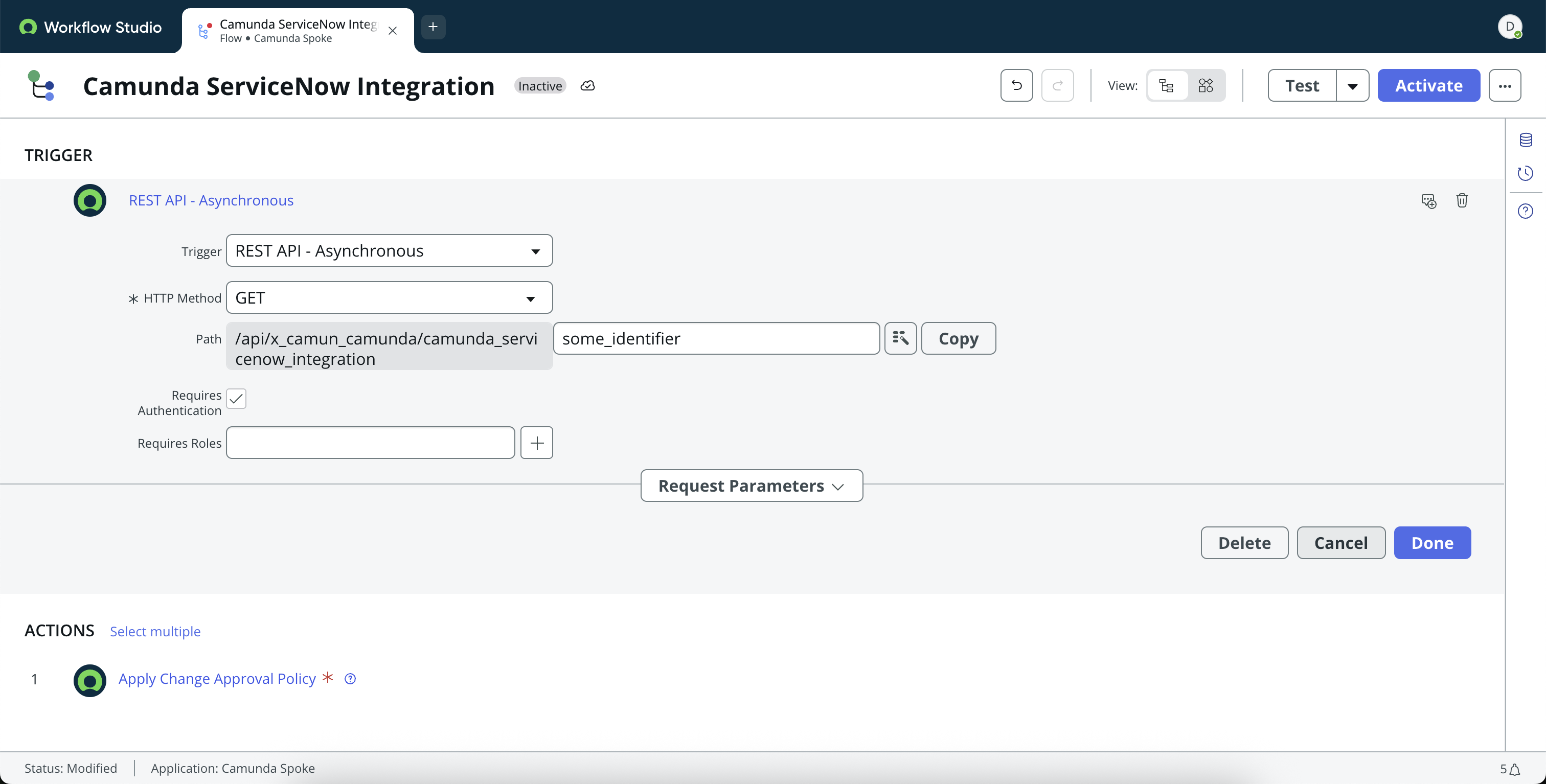
Supported inputs
HTTP Method: The HTTP method accepted by the flow.
Example: POST
Path: A custom URL path suffix for the trigger endpoint used by the ServiceNow Flow Starter Connector.
Example: /api/camunda/my_flow_name
Requires authentication: Whether incoming requests must include a valid ServiceNow authentication header. Enable this for production integrations.
Roles: (Optional) ServiceNow roles authorized to access the trigger endpoint.