Amazon EventBridge connector
Use the Amazon EventBridge connector to send events from your BPMN process to an Amazon EventBridge event bus.
About this connector
The Amazon EventBridge connector is an outbound connector that integrates your BPMN service with Amazon EventBridge. Use it to send events from your process for further processing or routing to other AWS services, for example to build event-driven integrations within your business processes.
To receive events from Amazon EventBridge in a process, use the Amazon EventBridge Webhook connector.
Prerequisites
To use the Amazon EventBridge connector, you need an AWS account with permission to send events to EventBridge. You need an access key and secret key of a user with the appropriate permissions, unless you use the default credentials chain (hybrid/Self-Managed only). See the AWS documentation for more information.
Use Camunda secrets to avoid exposing your AWS IAM credentials as plain text. Refer to managing secrets to learn more.
Create an Amazon EventBridge connector task
You can apply a connector to a task or event via the append menu. For example:
- From the canvas: Select an element and click the Change element icon to change an existing element, or use the append feature to add a new element to the diagram.
- From the properties panel: Navigate to the Template section and click Select.
- From the side palette: Click the Create element icon.
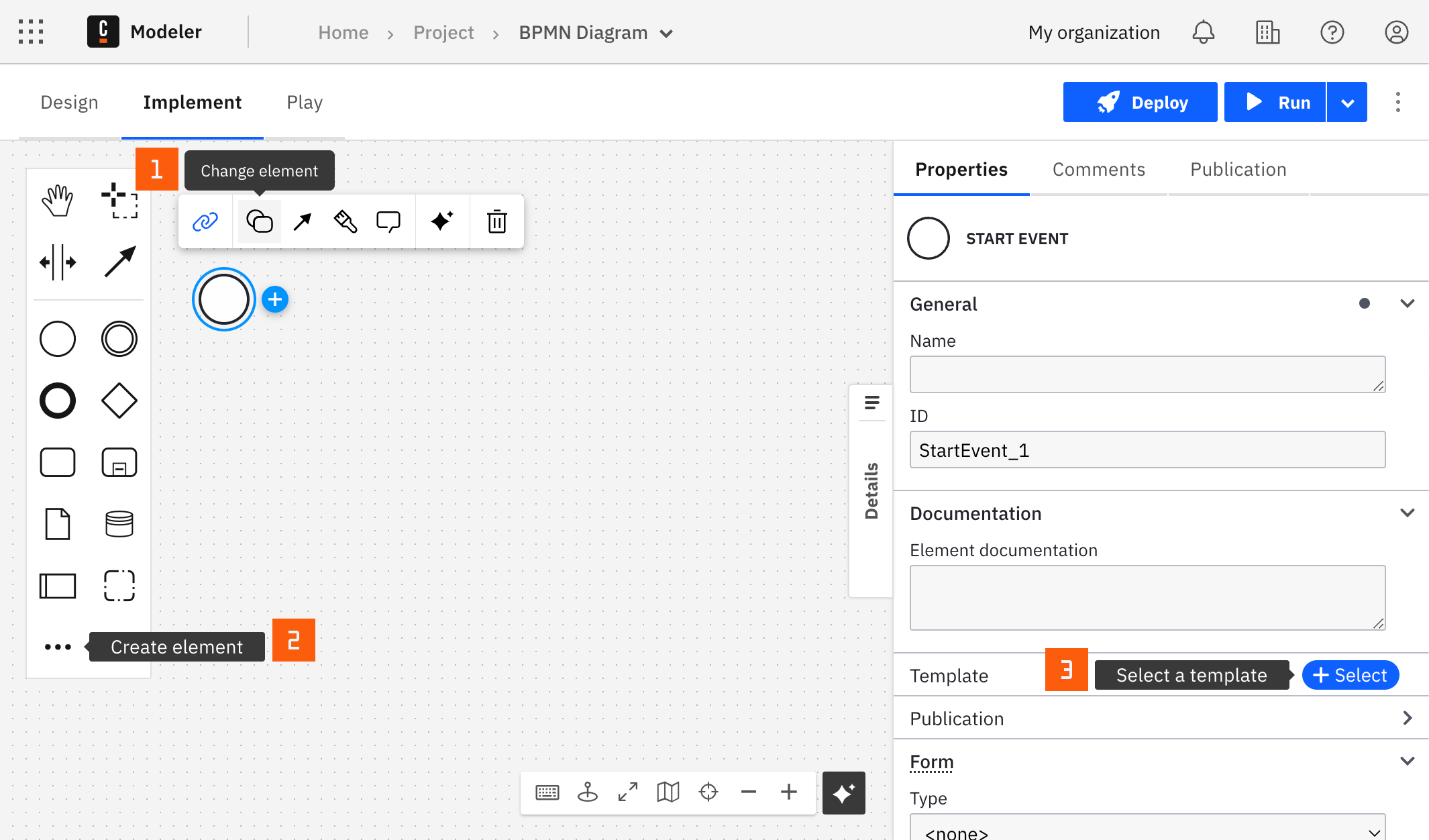
After you have applied a connector to your element, follow the configuration steps or see using connectors to learn more.
Configuration
Authentication
Choose an authentication type. Learn more in AWS authentication types.
| Property | Type | Required | Description | Example |
|---|---|---|---|---|
| Authentication | Dropdown | Yes | The AWS authentication strategy:
| |
| Access key | String | Yes, if Authentication is Credentials | The IAM access key of a user with the necessary permissions for this connector. | |
| Secret key | String | Yes, if Authentication is Credentials | The IAM secret key of a user with the necessary permissions for this connector. |
AWS authentication types
There are two options to authenticate the connector with AWS:
- Credentials: Use this option if you have a valid pair of access and secret keys provided by your AWS account administrator. This option is available for SaaS and Self-Managed.
- Default Credentials Chain (Hybrid/Self-Managed only): Use this option if your system is configured for implicit authentication, such as role-based authentication, credentials supplied through environment variables, or files on the target host. This option is available for Self-Managed and hybrid distributions only. It uses the Default Credential Provider Chain to resolve the required credentials.
Region
| Property | Type | Required | Description | Example |
|---|---|---|---|---|
| Region | String | Yes | The AWS region where your Amazon EventBridge resides. |
Operations
Send event
Send an event to an Amazon EventBridge event bus.
Input parameters
Set these properties in the Event Details and Event Payload sections of the properties panel.
| Property | Type | Required | Description | Example |
|---|---|---|---|---|
| Source | String | Yes | The value that identifies the service that generated the event. See the Amazon EventBridge event structure. | |
| Detail type | String | Yes | The type of event being sent. See the Amazon EventBridge event structure. | |
| Event bus name | Text | Yes | The name of the destination event bus. Learn more about event buses in the Amazon EventBridge documentation. | |
| Event payload | String | Yes | The payload of the event, provided as a JSON object that contains information about the event. |
Output
The connector returns the response of the Amazon EventBridge PutEvents call converted to JSON. In this version, the connector returns an empty object ({}), because the AWS SDK response object doesn't expose any properties for the JSON conversion:
{}
Use Result variable or Result expression to store the response. Learn more about response mapping.
Troubleshooting
To handle errors from the connector, define an Error expression in the Error handling section of the properties panel. Learn more about BPMN errors and failing jobs.